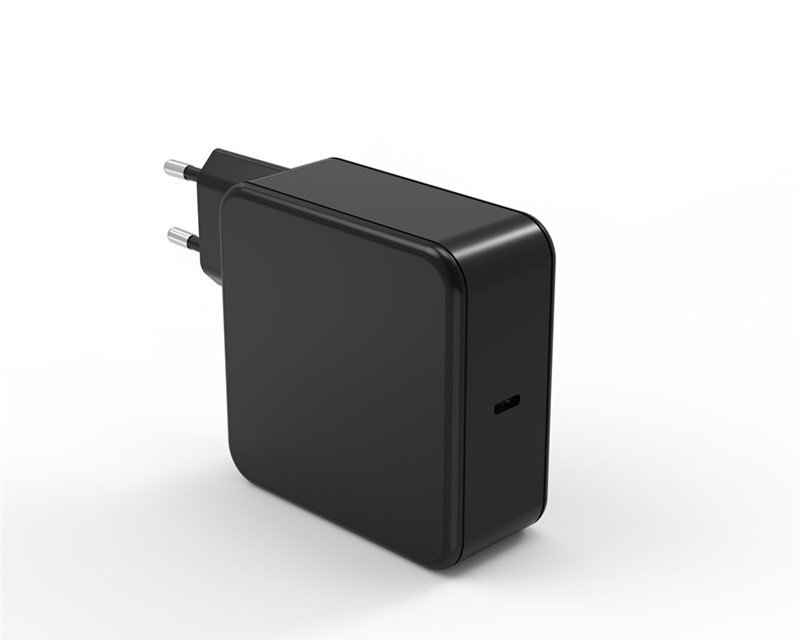
If you own a 16-inch MacBook Pro, you know the “power brick struggle.” Apple’s official 140W charger is excellent, but it’s also bulky and expensive. Naturally, the sleeker, multi-port 140W GaN (Gallium Nitride) chargers look like a dream for those who want to travel light.
But can a third-party charger actually deliver the full 140W “Fast Charge” experience? The answer is yes—but only if you choose the right hardware.
1. The Protocol Requirement: Why PD 3.1 is Non-Negotiable
To hit 140W, a charger must do more than just label “140W” on the box. It must support the USB-C PD 3.1 (EPR) standard.
- Standard PD 3.0: Capped at 100W ($20V/5A$).
- Extended Power Range (EPR): To go beyond 100W, the PD 3.1 protocol allows the charger to push $28V/5A$, totaling 140W.
- Pro Tip: If a charger doesn’t explicitly mention “PD 3.1” or “28V output,” it will never fast-charge your 16-inch Mac at full speed, regardless of the total wattage.
2. Featured Solution: Aieco 140W USB-C GaN Charger
If you are looking for a charger that meets these rigorous standards, the Aieco 140W USB-C GaN Charger is a prime example of a modern, efficient power solution designed for high-performance laptops.
PD 3.1 Fast Charging Performance
The AiecoPower unit is engineered with the latest PD 3.1 protocol. This means its primary USB-C port is capable of delivering the full $28V/5A$ required to trigger the “Fast Charge” status on a 16-inch MacBook Pro, taking it from 0% to 50% in roughly 30 minutes.
Advanced GaN Technology
By utilizing Gallium Nitride (GaN) instead of traditional silicon, this charger maintains a much smaller footprint than the Apple original while offering superior heat management. It provides a stable 140W output even during heavy workloads like video rendering or 3D modeling without overheating.
3. Device Generation: Which Mac Do You Have?
Even with a powerhouse like the Aieco 140W, your laptop’s own hardware determines how you plug it in.
The M1, M2, and M3 Era (2021–2023)
On these models, the USB-C ports are limited to 100W. To reach the full 140W using your Aieco charger, you must use the Apple USB-C to MagSafe 3 Cable.
The M4 Era (2024–Present)
The newest 16-inch models have upgraded USB-C ports. You can now pull the full 140W through either the MagSafe port or the USB-C ports, as long as your cable is rated for the power.
4. The Final Piece: Don’t Forget the Cable
A 140W charger needs a 140W-capable “pipe.”
- For MagSafe users: Use the official Apple MagSafe 3 cable.
- For USB-C users (M4): You must use a USB-C to USB-C cable rated for 240W (EPR). A standard 100W cable will act as a bottleneck, limiting your charging speed.
Conclusion: Efficiency Without Compromise
Investing in a high-quality third-party solution like the Aieco 140W USB-C GaN Charger is a smart move for any MacBook Pro power user. It offers the same blistering speeds as the original Apple brick but in a more portable and versatile form factor.
By ensuring your charger supports PD 3.1 and pairing it with the correct cable, you can confidently power your 16-inch machine at maximum speed. In short: when you match the right technology with the right accessories, you get a lighter gear bag and a faster charge without any compromise.